Download semester, weekly and daily planner templates, with guide, samples, and more to help you stay organized, focused, and in control of your workload.
You've probably tried planning before. You bought a nice planner, wrote in your classes, maybe even color-coded things. Then midterms hit and suddenly you're scrambling because that paper you forgot about is due tomorrow.
Here's the problem: Traditional planners hide your deadlines. They're buried on page 47 while you're looking at page 12. Unless you flip through every single page every single day, important dates disappear.
The fix is simple: Keep your big deadlines visible at all times, plan your week before it starts, and use detailed daily planning when you need extra focus.
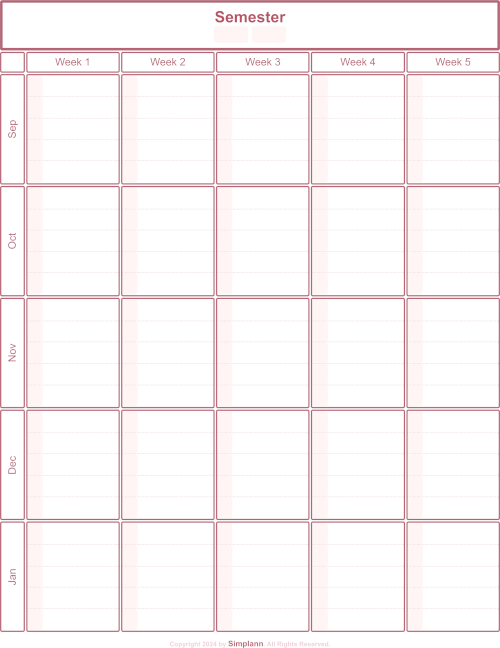
Big picture view of your semester. Mark milestones and deadlines and spot busy periods before they arrive.
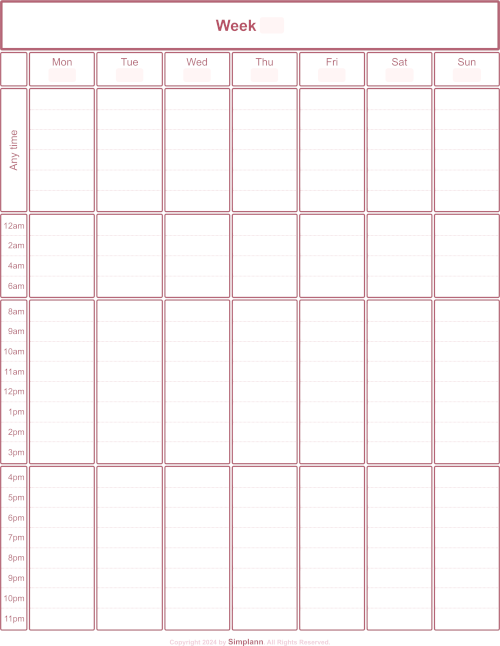
A snapshot of your week. Map out classes and commitments and always know what needs your attention next.
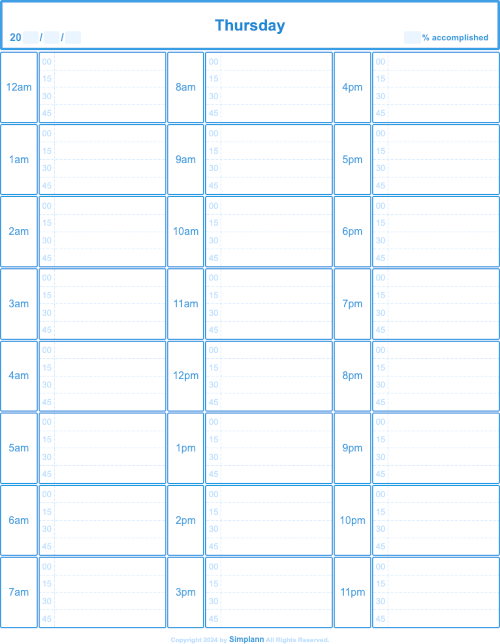
A focused plan for the day. Break tasks into manageable steps and stay on track without feeling overwhelmed.
Start with the big picture and zoom in as the pressure mounts.
What it is: A single-page view of your entire semester. All your exams, papers, projects, and important dates in one place.
How to use it: Print it out and pin it above your desk or on your wall. At the start of each semester, transfer all your syllabi deadlines onto this one sheet. Now you can see busy weeks coming from a mile away.
Why it works: When deadlines are visible, you naturally pace yourself. You'll notice "Oh, I have three things due that week" and start preparing earlier.
What it is: All seven days displayed side-by-side with three time zones: Morning (before 8am), Day (8am-4pm), and Evening (4pm-midnight).
How to use it: Every Sunday (or whenever your week starts), take 10 minutes to fill this out. Check your Semester Overview for what's coming, then block out your classes, study time, and commitments.
Why it works: Seeing all seven days at once shows you where your free time actually is. Most students overestimate how much time they have until they see it mapped out.
What it is: A detailed hour-by-hour breakdown with 15-minute increments. Includes a "% Accomplished" tracker to measure your productivity.
How to use it: You can use it everyday, but you'll need it most during busy times like exam weeks. Pull it out when you have multiple deadlines, or when you're struggling to focus. Plan each hour, then check off what you actually complete.
Why it works: Granular planning forces you to be realistic. You can't pretend you'll "study all day" when you have to write down exactly what you'll do each hour.
Grab all your syllabi. Transfer every deadline, exam, and project due date onto one sheet. This takes about 20 minutes at the start of each semester and saves hours of stress later.
Each Sunday, review your Semester Overview for upcoming deadlines. Then update the weekly planner with classes, work, study sessions, and scheduled free time to reflect the week ahead.
If your schedule is packed or you have multiple deadlines, use the daily planner to plan each hour in detail and track your progress. Some students use the daily planner every day, while others only use it during particularly busy weeks.
Above your desk, on your closet door, next to your mirror, or anywhere you'll actually look at them. Visibility is key.
You get three printable PDF templates: a Semester Overview for tracking all your deadlines at a glance, a Weekly Planner with 7-day side-by-side view, and a Daily Planner with 15-minute time blocks for focused work.
Yes, you can fill out the planners using any PDF annotation app. Complete an initial digital version, make adjustments as needed, then print. This saves you the hassle of starting with a blank planner every time.
All templates are designed for standard US Letter size (8.5" x 11"). They also print well on A4 paper if you select "fit to page" in your print settings.
Most planners fail because they require too much daily effort. This system is designed to be low-maintenance: set up your Semester Overview once, do a quick weekly review, and only use detailed daily planning when you actually need it.
The PDFs are designed to be printed as-is, but you can add your own details by hand or use a PDF editor.
Yes, you can contact us through our contact page for any questions or support regarding the planners and time management in general.
Join students who receive strategies for managing time, staying focused, and avoiding burnout throughout the semester.
